
Discussion Categories
Allotment.community allows your users to categorise discussions into different sections. We call these categories tags. And user posts can have more than one tag.
All discussions will appear in the 'All Discussions' section but users then have the ability to filter by a particular tag.
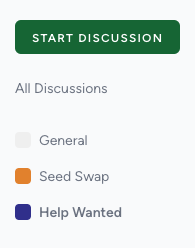
Creating a new tag
From the admin control panel, navigate to the 'Tags' section from the left menu.
From here click on the 'Create' button to open the new tag dialog.
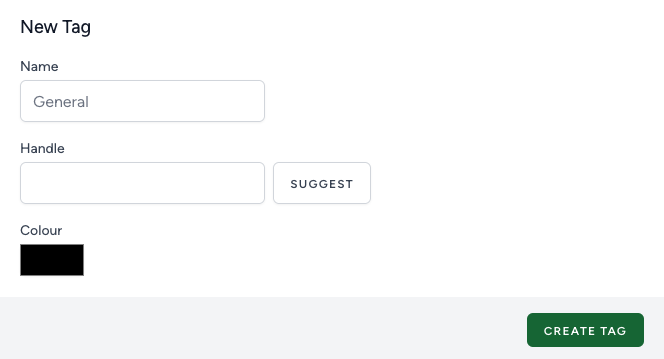
Name
This should be an easily identifiable name for the tag category. Eg. 'Seed Swap', 'Plant Swap' or 'Help wanted'
Handle
This makes up the URL part of the filter. For example https://support.allotment.community/t/ideas (the ideas bit here is the handle). This should contain only alphanumeric characters and dashes. If you're struggling, use the suggest button which will take the name of your tag and turn it into the correct format. This handle needs to be unique and not used by any other tag. Examples include 'seed-swap', 'plant-swap' or 'help-wanted' if we choose a name from the examples above.
Colour
Finally choose a colour for this tag, this makes categories more easily identified between each other.
Updating a tag
You can change a tag at any time by pressing on the edit icon next to the tag in the tags list. This will bring up the edit dialog with the same fields as above.
